
Diamond Painting: Antistress
Crimson Pine GamesBoard
4.6125.00 Reviews
- Version
- 1.53.0
- Installs
- 100.00K
- Age Rating
- Everyone
Screenshots
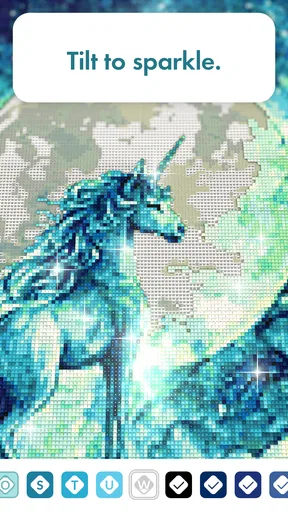
Our Review of Diamond Painting: Antistress
 Analysis by Appyee
I find that diamond painting works best when I treat it as a small, deliberate pause rather than a task to finish quickly. Diamond Painting: Antistress turns that familiar color-by-number idea into a board-style game built around placing digital gems, so the appeal is less about drawing freely and more about filling a picture one marked space at a time. That makes it approachable when I want a calm activity without needing to plan a design or learn an art tool.
The first moments are straightforward, but the experience depends on whether this kind of repetition suits you. If matching colors and filling a picture feels satisfying, the simple loop can be absorbing. If you want open-ended drawing, a story, or frequent changes in pace, it may feel narrow. I’d think of it as a focused coloring pastime rather than a full-featured art studio or a traditional competitive board game.
Where a session can feel less smooth
The most likely point of friction is not understanding the basic idea; it is choosing a pattern that matches your patience. A detailed image can look appealing before you start, yet its many small spaces may demand more careful tapping than you want from a quick break. I’d begin with a simpler design when I’m tired or have only a few minutes, then save a more intricate picture for a session when I can settle in.
Small targets also make screen comfort part of the experience. The zoom function is useful when a section feels cramped, but zooming in and out can interrupt the rhythm if I do it constantly. I get better results by enlarging a busy area before working through it, finishing that patch, and then moving on, rather than repeatedly changing the view after every tap.
Color-by-number games can also make it easy to lose track of what you meant to do next when you leave midway through a picture. Before stopping, I try to take note of the area I was filling and the color I was matching. That simple habit gives me a clear place to resume instead of spending the next session scanning the whole canvas.
Getting Started with the Sparkle
Jumping into Diamond Painting: Antistress is as easy as pie. The app greets you with a user-friendly interface that even the most tech-challenged among us can navigate with ease. Once you’ve downloaded and installed it, you’re just a tap away from a world of vibrant designs waiting to be brought to life.
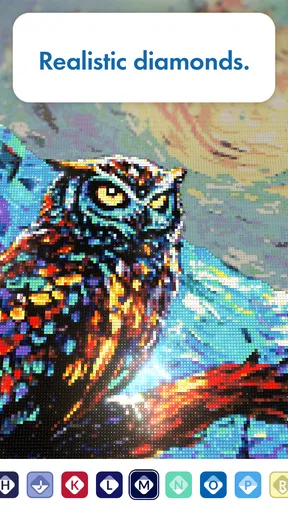
The app offers a wide array of templates, from intricate mandalas to adorable animal portraits. You don’t need any previous art experience; just pick a design and start tapping away. The more you complete, the more designs you unlock—it’s a bit like a game, but with a soothing, artistic twist.
The Art of Diamond Painting
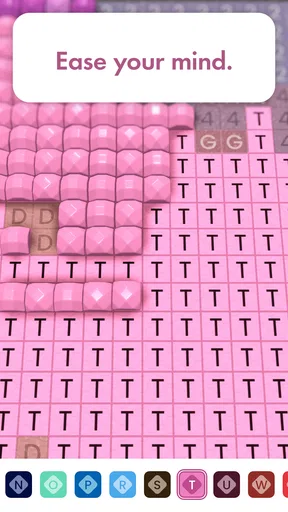
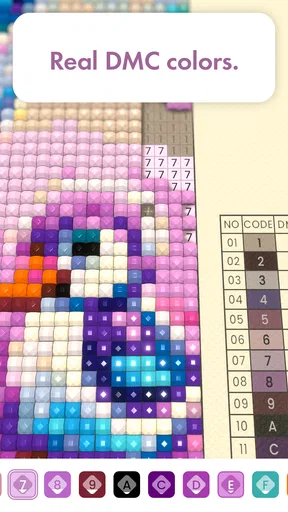
What sets this app apart is its unique approach to relaxation. The concept is simple: each template is made up of tiny squares, and each square is assigned a color code. It’s your job to fill in these squares with the corresponding colors, much like paint-by-numbers. But instead of paint, you’re using sparkling digital diamonds, adding a touch of glamour to the experience.
As you work on your masterpiece, you’ll find yourself slipping into a meditative state. There’s something incredibly satisfying about watching your creation come to life, one sparkling gem at a time. It’s the perfect way to unwind and let your thoughts drift away with the shimmer.
Features That Shine
Aside from its intuitive design and diverse selection of templates, this diamond-painting game offers a few nifty features that enhance the experience. For starters, the app includes a zoom function, allowing you to get up close and personal with your design. This is particularly handy for those intricate patterns that require a bit more precision.
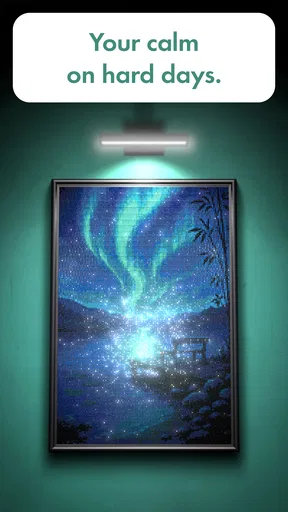
Another standout feature is the option to save your completed paintings. You can either store them in your gallery or share them directly with friends and family. It’s a wonderful way to showcase your creativity and maybe even inspire others to join in on the fun.
Making the most of a short session
For a realistic everyday use, I’d open the game during a quiet ten-minute gap—while waiting for a kettle, winding down after work, or taking a screen break between chores. I wouldn’t aim to finish a whole picture in that window. Instead, I’d choose one small region, use the zoom to keep the marks easy to target, and stop at a natural boundary. That turns a spare moment into a contained activity rather than an unfinished project nagging at me.
There is a useful trade-off in the way this kind of game rewards completion. Unlocking more designs gives me a reason to keep going, but it can also make the relaxing activity feel like a checklist if I focus too much on progress. When I want calm, I choose a picture because I like its subject, not because I’m trying to clear the available designs. If the unlock loop motivates you, it can add purpose; if it makes you rush, ignoring that pressure is the better way to enjoy the painting itself.
Compared with a standard coloring app, the numbered spaces and gem-like finish offer a more guided, piece-by-piece routine, while freehand drawing gives much more creative control. Compared with physical diamond painting, this is an easy way to try the visual idea without setting out craft materials, but it cannot replace the tactile handling of real beads and canvas. I’d choose this game for convenience and a tidy digital wind-down, and a physical kit or drawing app when the hands-on craft or artistic freedom is the point.
A Few Tips for a Better Experience
If you’re new to digital art or crafting, here’s a quick tip: start with simpler designs. While the more complex patterns are tempting, beginning with the basics can help you get the hang of the app’s interface. Once you’re comfortable, you can dive into the more intricate designs and really let your creativity shine.
Also, consider setting aside a quiet time to work on your diamond paintings. Whether it’s during your morning coffee or as part of your bedtime routine, having a dedicated time can make the process even more enjoyable.
Setup checks and getting back on track
If the game does not open or a session feels sluggish, I’d start with the ordinary checks before blaming the painting itself: make sure the device has room to run, close and reopen the app, and check that the installed version is current. The current version is 1.51.2, and the minimum operating-system requirement is version 9. These are practical first checks, not a promise that every slowdown has the same cause.
If a tap seems to miss, I’d first zoom in and try again with the target centered on the screen. If the image looks unfinished after I thought I had filled it, I’d inspect the nearby numbered spaces carefully; a tiny unfilled square can be easy to overlook when working quickly. For a painting I want to keep, I’d use the save option once it is complete rather than assuming an unfinished canvas will behave like a finished gallery item.
When the app may not be the issue
Not every frustrating moment calls for troubleshooting. A dense pattern can simply be a poor match for a tired evening, and repeated tapping may feel irritating if you are looking for a more active game. I’d switch to a simpler picture or take a break before changing settings or reinstalling anything. If you prefer a goal, a challenge, or a changing sequence of actions, a puzzle or strategy board game will probably hold your attention better.
It is also worth separating the free download from optional spending. The game is free to install, with in-app purchases ranging from $1.49 to $99.99 per item. I’d try the basic experience first and decide whether any purchase would genuinely improve how I use it; there is no need to spend just to find out whether the calm, repetitive format suits me. The Everyone age rating makes it broadly suitable by content classification, though younger players may still appreciate help understanding any purchase choices.
Who will enjoy it, and who should pass
I’d recommend it to people who like guided coloring, small completion goals, and a quiet activity that can be picked up between other things. It can work well for someone who wants a low-pressure alternative to scrolling, or for a family member who enjoys pictures but does not want the setup and cleanup of a craft project. The save-and-share options also make finishing an image feel a little more personal than simply closing a game.
I would skip it if I needed substantial creative freedom, tactile craft materials, or a changing pace. The core pleasure comes from following the numbered pattern, so it is not a substitute for sketching, painting, or a board game built around strategic choices. And if repetitive screen tapping bothers you, even a soothing theme may not make the central interaction enjoyable.
Why You’ll Love It
At the end of the day, this game is more than just a pastime—it’s a delightful escape into a world of color and creativity. Whether you’re looking to de-stress, explore your artistic side, or simply pass the time, it offers an easy way to focus on one picture at a time. Crimson Pine Games has made a simple board-style activity that leans on patience and visual progress rather than complicated rules.
It is free to try, has a 4.7 average from around 811 ratings, and has passed 100K+ installs. It was released on August 6, 2025, and is rated Everyone. Those figures suggest that it has found an audience, but the more useful test is personal: do you enjoy slowly filling in a design? My answer is yes when I want a gentle, guided break, and no when I’m craving variety or a stronger challenge.
So, if you’re ready to add a little sparkle to your day, why not give it a try? I’d start with an uncomplicated design, work in short sections, and see whether the steady rhythm helps you unwind. If it does, keep it as a handy creative pause; if you find yourself wishing you could draw freely or do something more tactile, another kind of art or board game will be a better fit.
Verdict
Strengths of Diamond Painting: Antistress
- Relaxing and meditative gameplay.
- Wide variety of designs available.
- User-friendly interface.
- Offline mode supported.
- Regular updates with new content.
Limitations of Diamond Painting: Antistress
- In-app purchases can be pricey.
- Limited free designs available.
- Some ads are intrusive.
- Occasional app crashes reported.
- Requires ample storage space.
Similar Picks in This Category
View All
Ludo King®
Gametion4.1

Ludo
Yarsa Games4.6

Tile Master® - Matching Game
Higgs Studio3.6

Checkers Online
CC Games4.6

Dominoes
Loop Games4.7

Chess
Chess Prince4.6
Frequently Asked Questions
What is Diamond Painting: Antistress, and how does it work?
Diamond Painting: Antistress is a creative app designed to offer a relaxing experience through digital diamond painting. Users can select from a variety of templates and use virtual 'diamonds' to fill in the patterns. The app provides a satisfying artistic outlet, allowing you to unwind and express your creativity.
Is Diamond Painting: Antistress free to use, or are there in-app purchases?
The app is free to download and offers a selection of basic templates at no cost. However, it includes in-app purchases for additional templates and premium features. These purchases enhance the experience by providing a wider variety of designs and tools to use while painting.
Can I use Diamond Painting: Antistress offline?
Yes, Diamond Painting: Antistress can be used offline. Once you've downloaded the templates or features you want, you can enjoy the painting experience without an internet connection. This makes it a convenient option for relaxation on the go.
What devices are compatible with Diamond Painting: Antistress?
Diamond Painting: Antistress is available for both Android and iOS devices. It requires a relatively recent operating system to ensure optimal performance. Check the app store listing for specific compatibility details related to your device's version and specifications.
Are there any community features or ways to share my creations in the app?
Yes, the app includes features that allow you to share your completed artworks with friends or on social media directly from the app. Additionally, some versions may offer a community gallery where you can view and be inspired by other users' creations.
Play our best games!


